Journal ·
How to Bring an AI Tattoo Design to Your Tattoo Artist
Will a tattoo artist work from an AI tattoo design? What AI sketches are good for, how to prepare your references, and a message you can send the studio.
AI tools have made it easy to turn a vague idea into a picture in seconds. But an AI tattoo design is not the same thing as a tattoo-ready drawing, and how you present it to your artist makes a big difference to how the appointment goes. Here is how to bring an AI design to a tattoo artist in a way that gets you a better tattoo and keeps the artist happy to work with you.
Will a tattoo artist tattoo an AI design?
Many will, but almost always as a reference rather than a file to copy line by line. Artists are designers as much as technicians: they adapt every drawing to your body, to how skin holds ink and to their own way of working. Some artists prefer to draw everything from scratch and will politely decline AI images, so it is worth asking before you book. A good approach is simply: "I made some sketches to show the idea; would you be happy to use them as a starting point?"
What an AI tattoo design is good for
AI sketches are excellent at showing the idea:
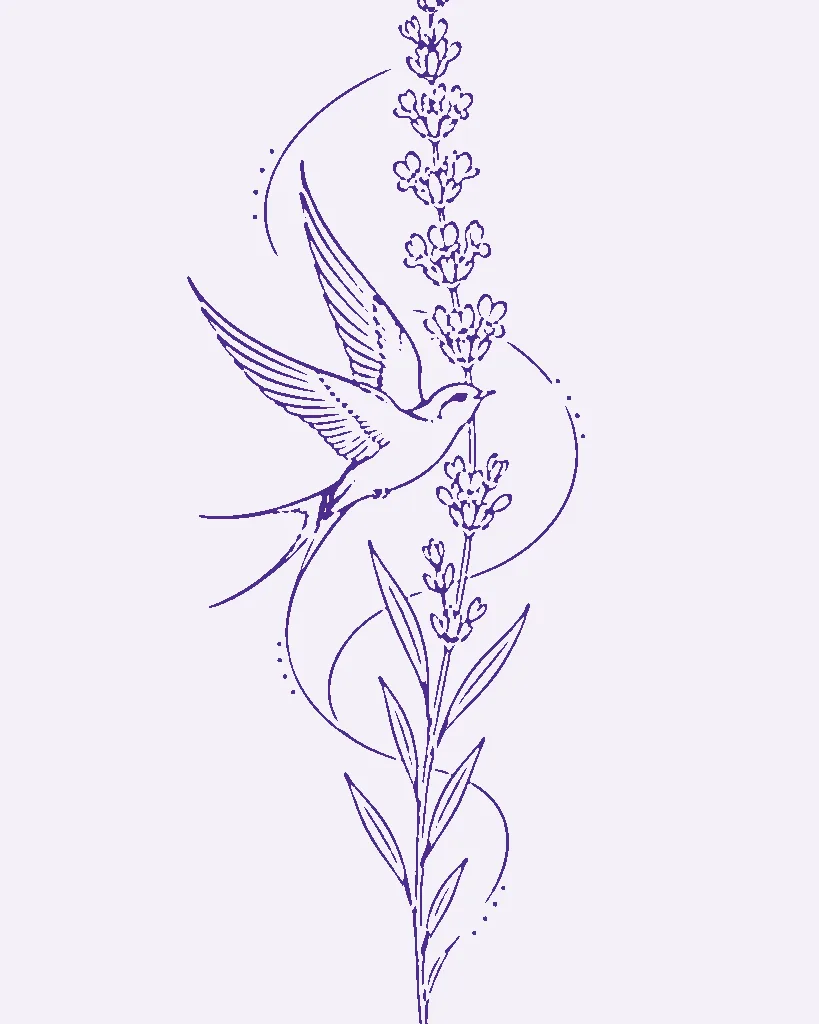
- The subject and the mood, for example a swallow carrying a sprig of lavender, calm and light.
- The composition: what goes where, how things overlap, the overall shape.
- The style you are after, from fine line to American traditional.
- The size and placement you have in mind.
That shared picture saves a lot of back-and-forth. Instead of describing "something delicate but not too thin", you can point at the exact one that feels right.
What it is not good for
AI images are not drawn with skin in mind. Common problems an artist will fix:
- Lines that are too fine or too close together, which blur within a few years.
- Anatomy that does not quite work: wings, hands and paws are frequent offenders.
- Shading made of noise or texture that cannot be reproduced with a needle.
- A shape that ignores the body part. A design for a forearm needs to follow the arm, not sit on it like a sticker.
That is why it helps to think of the sketch as a brief, not a blueprint.
How to prepare your references
- Pick one to three favorites. More than that muddies the brief. Make a few variations with the AI tattoo generator and keep only the ones you keep coming back to.
- Write one line for each. "I love the pose in this one, the flowers in that one." Specific notes are gold to an artist.
- Decide size and placement. Measure the spot and check the tattoo placement guide if you are unsure. The tattoo size guide helps you choose a size that keeps the details readable.
- Black and grey or color? Say so up front; it changes the whole drawing.
- Optional: a clean line version. A tattoo stencil maker turns your favorite into clean line art, which makes the composition easy to read. Expect your artist to redraw it anyway.
- Try it on. A quick check with the tattoo simulator shows whether the size and angle work on your body before the consultation.
Respect the craft
- Pay for drawing time. Redrawing a design properly is real work. Most studios take a deposit that covers it.
- Do not ask an artist to copy another artist's tattoo, AI-assisted or not. Original references are fine; recreating someone's signature piece is not.
- Leave room for their input. The best results usually come from "here is my idea, how would you do it?"
Who owns an AI tattoo design?
The rules around AI images differ between tools and countries, so check the terms of the tool you used. TattooMaker's terms are on our image license page. Either way, the tattoo your artist draws and applies is their work; many artists also appreciate being credited when you share photos of it.
A message you can send the studio
Hi! I'm hoping to book a [style] tattoo on my [placement], roughly [size]. I've attached a few AI sketches I made to show the idea: I love the [detail] in the first one and the [detail] in the second. Would you be open to using them as a starting point for your own design? I'm flexible on details and happy to pay for drawing time.
Short, clear and respectful: exactly what busy artists like to receive.
Ready to start?
Describe your idea in one sentence with the AI tattoo generator. You will get four original sketches in seconds, then turn your favorite into a stencil or try it on before you book.