7-Day Pass · AI image edit
Photo to Tattoo Generator
Upload a photo of a pet, a place or a person and get fine line, blackwork or realism linework that keeps the likeness.
Preview stays on your device until you start a run · photos are deleted after 24 hours
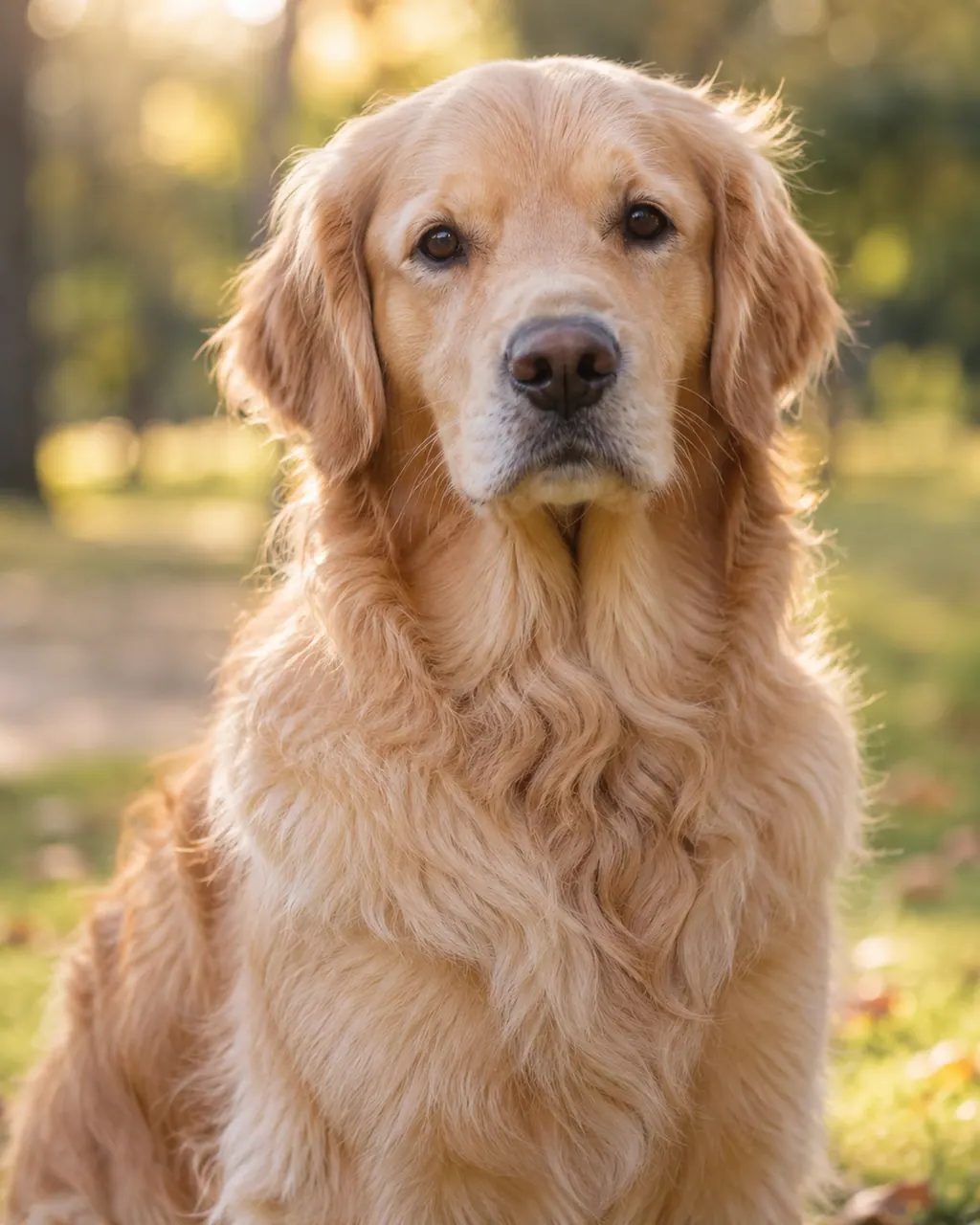
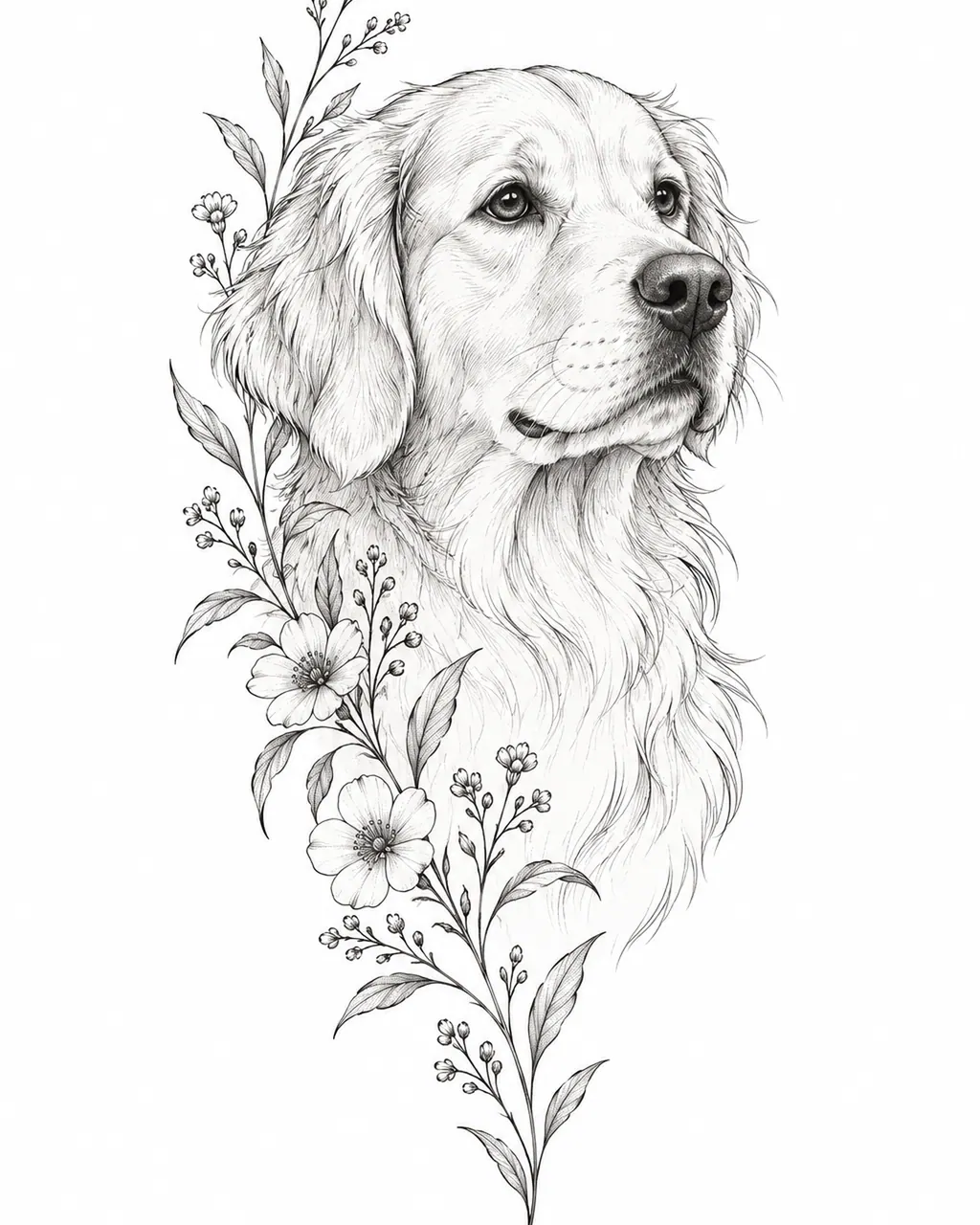
Example run. AI designs are creative references — your artist adapts them to your skin.
- Price
- Paid AI feature
- Input
- One clear photo
- Styles
- Fine line, blackwork, realism
- Privacy
- Stored privately, deleted automatically
Photo to tattoo, done with AI: upload a photo of a pet, place or person and turn it into a tattoo design. Choose fine line, blackwork or realism to keep the likeness and lose the clutter, then take the result to the stencil maker or straight to your artist.
No. 01
How photo to tattoo works
Tracing a photo copies everything in it, including shadows and background clutter. The AI does something different: it redraws the subject as tattoo artwork, deciding which details to keep, which to simplify and how heavy each line should be.
- 1. Upload a photo
- Pick a sharp, well-lit photo where the subject is easy to see. It’s stored privately and deleted automatically.
- 2. Choose a style
- Fine line for delicate outlines, blackwork for bold graphic shapes or realism for soft black-and-grey shading.
- 3. Review and download
- Compare the results, download the one you like, then turn it into a stencil or test it on your skin with the try-on tool.
No. 02
Image to tattoo: which photos work best
The better the photo, the better the design. A few minutes spent choosing the right shot saves a lot of disappointing results. A recent phone camera captures more than enough detail – what matters is focus, light and framing.
- Sharp focus
- Especially on the eyes for pets and people. Blur turns into vague, mushy linework.
- Even light
- Daylight from a window beats direct flash or harsh midday sun, which create hard shadows the AI may read as lines.
- Subject fills the frame
- Crop so the pet, face or building takes up most of the photo. A tiny subject in a big scene loses detail.
- Plain background
- A simple background makes it easier to separate the subject from everything else.
- No heavy filters
- Filters and beauty effects shift shapes and tones. Use the original file if you have it, not a screenshot.
No. 03
Which style suits your photo?
Fine line works best for pet outlines, skylines, landscapes and small pieces, with little or no shading. Blackwork turns the subject into bold silhouettes and solid shapes, which read well from a distance and hold up as a tattoo ages. Realism keeps soft gradients and the most likeness, which suits portraits, but it needs size and an artist who specializes in it.
The photo itself can point you to a style. Fine line is the most forgiving of busy pictures, because it keeps only the main contours. Blackwork needs a subject with a strong outline – a profile, a building, a pet’s silhouette – to read clearly. Realism needs the best photo of the three, because the shading comes straight from the light in your picture.
If you’re unsure, run the same photo in two styles and compare them side by side. The right choice is often obvious within seconds.
No. 04
Picture to tattoo ideas: pets, places and people
Some photos translate into tattoos better than others. These subjects tend to work well:
- Pet portraits
- A head-and-shoulders photo of a dog or cat, redrawn as a delicate outline or a soft black-and-grey portrait – a lasting way to remember a pet.
- A place that matters
- A hometown skyline, a mountain ridge from a trip or the house you grew up in, simplified into clean linework.
- Family portraits
- A grandparent or parent in black-and-grey realism, sized large enough to keep the face recognizable.
- Nature you photographed
- A flower from your garden, a favorite tree or a wave – organic shapes that suit almost any style.
- A moment, not a face
- Two hands held together or a silhouette on a beach, which keep the memory without needing an exact likeness.
- Objects with a story
- A grandparent’s pocket watch, a first guitar or a well-used camera – everyday things with personal meaning.
No. 05
Photo to tattoo vs a stencil from your photo
TattooMaker also has a stencil maker that traces photos in your browser. Use it when the image is already clean and graphic – a drawing, a high-contrast photo or a design you made – because it copies the lines that are there, instantly and without uploading anything.
Use photo to tattoo when the photo needs interpretation: removing a messy background, simplifying fur or hair into lines, or turning a snapshot into a composition that fits a placement. The AI result is a new design, so it won’t match the photo pixel for pixel – but it will look like a tattoo rather than a traced photograph.
A practical workflow uses both: create the design with AI, then run the downloaded result through the stencil maker for a clean transfer printed at true size.
No. 06
Taking the design to your artist
Bring both the AI design and the original photo to your consultation. The design shows the style and composition you want; the photo lets your artist check details such as eye shape, markings or the outline of a building. Expect them to adjust proportions and line weight for your skin and placement – that’s part of making it a good tattoo. Want to check the size first? Place the design on a photo of your arm with the try-on tool.
Photos you upload are stored privately, never published and deleted automatically. Use photos you took yourself or have permission to use: pictures of other people, professional photography and images of celebrities or characters aren’t yours to turn into tattoo art without consent.
FAQ
Photo to Tattoo Generator FAQ
Is photo to tattoo free?
Photo to tattoo is a paid AI feature, because each design is created with an image model. You can see what’s included on the pricing page. If your photo is already clean and high in contrast, the stencil maker can trace it in your browser instead, with no upload — previews are free and the finished file costs 1 credit.
What happens to the photo I upload?
It’s stored privately, used to create your design and deleted automatically. Uploaded photos and the designs made from them are never published or shown in a public gallery. Only upload photos you took yourself or have permission to use, and crop out anything you’d rather not share.
Will the tattoo look exactly like my photo?
Not pixel for pixel. The AI redraws the subject as tattoo artwork, so it simplifies backgrounds, textures and small details. Most of a likeness lives in proportions and key features, which it aims to keep. Faces are the hardest subject; the realism style and a larger size give the best chance of a recognizable portrait.
Can I turn a photo of my pet into a tattoo?
Yes – pets make great subjects. Use a sharp photo taken at the pet’s eye level, with even light and a plain background. Fine line gives a delicate outline, blackwork a bold silhouette and realism a shaded portrait. You can add the pet’s name in lettering with the font generator.
Can I use any photo I find online?
It’s best not to. Photos online usually belong to the photographer, and images of real people or famous characters raise permission and copyright issues. Use your own photos, or ones a friend or family member has said you can use. TattooMaker doesn’t create designs of copyrighted characters.
What photos don’t work well?
Blurry, dark or heavily filtered shots, tiny subjects in big scenes and group photos with overlapping people all make it hard for the AI to find clean shapes. Crop to one subject, use the original file rather than a screenshot and pick a photo taken in soft, even light.
Can my artist tattoo the result directly?
Treat it as a strong starting design. Your artist will usually redraw or adjust it for your skin, size and placement, and may simplify fine details that wouldn’t hold up over time. Bring the original photo too, so they can check features against the real thing.
Need a design first?
Describe your idea and get four original tattoo sketches in seconds — then turn the one you love into a stencil.